In a recent tutorial we covered how to combine views and briefly touched on dynamic cells within a List. In this tutorial we’ll look more closely at how you can bring in dynamic content in to a List.
Create a new project and make sure you select SwiftUI when the option is presented.
Open up ContentView.swift and just below the import line at the top of the file, add the following struct:
struct Message: Identifiable {
    var id = UUID()
    var from: String
    var date: String
    var subject: String
    var snippet: String
}
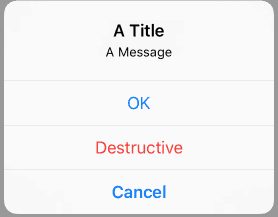 When needing to put an alert on the view of your app the previous way to handle this was with a UIAlertView or UIActionSheet. Both of these were deprecated in iOS 8 which means if you are targeting newer versions of iOS, which you should be in many cases, you now need to use UIAlertController. If you want to see how alerts worked in iOS 8 or below, you can find an example in the